
Create a landing page
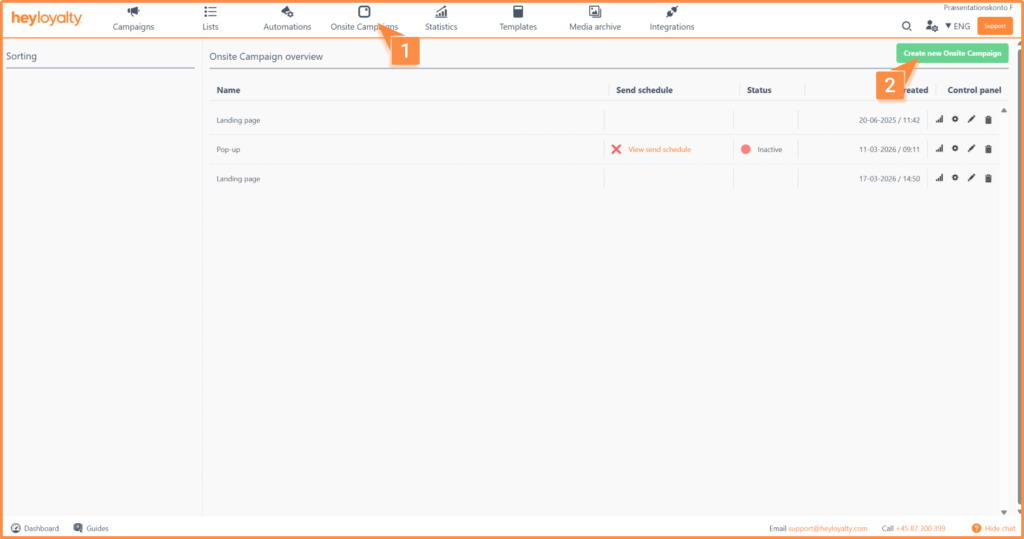
Set up your onsite campaign by clicking Onsite Campaigns → Create new Onsite Campaign.
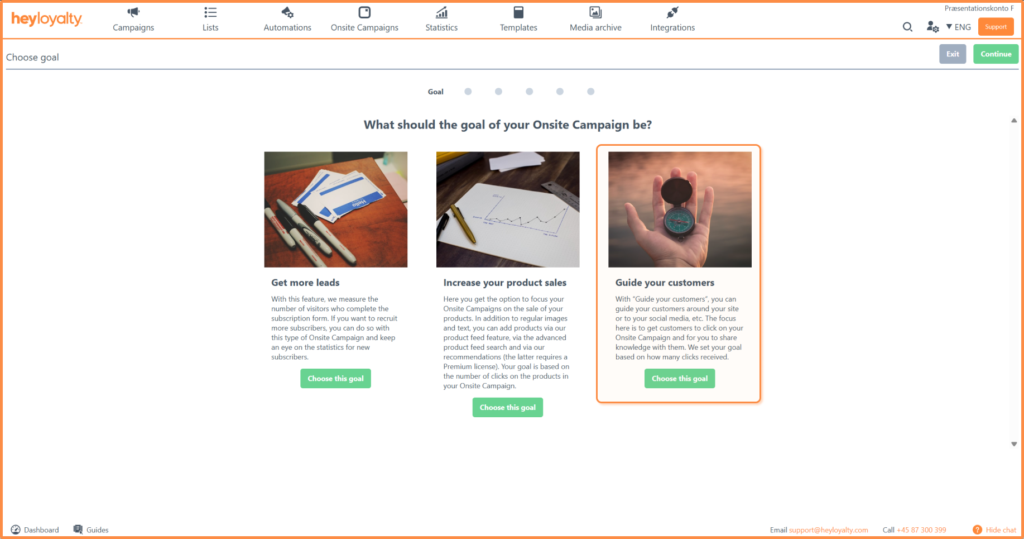
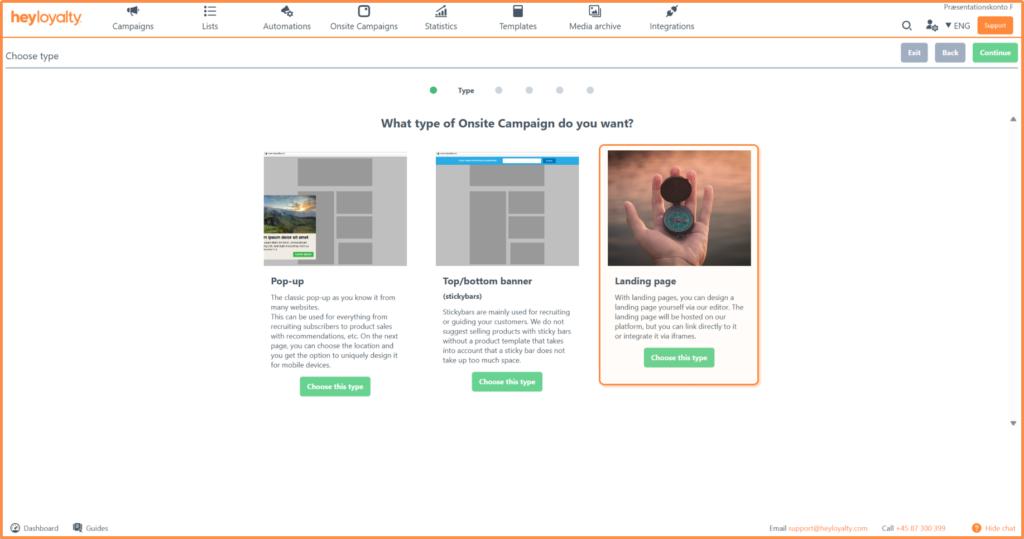
There are three different types of onsite campaigns. This guide focuses solely on Guide your customers, so choose this goal and then click Choose this type under Landing page.
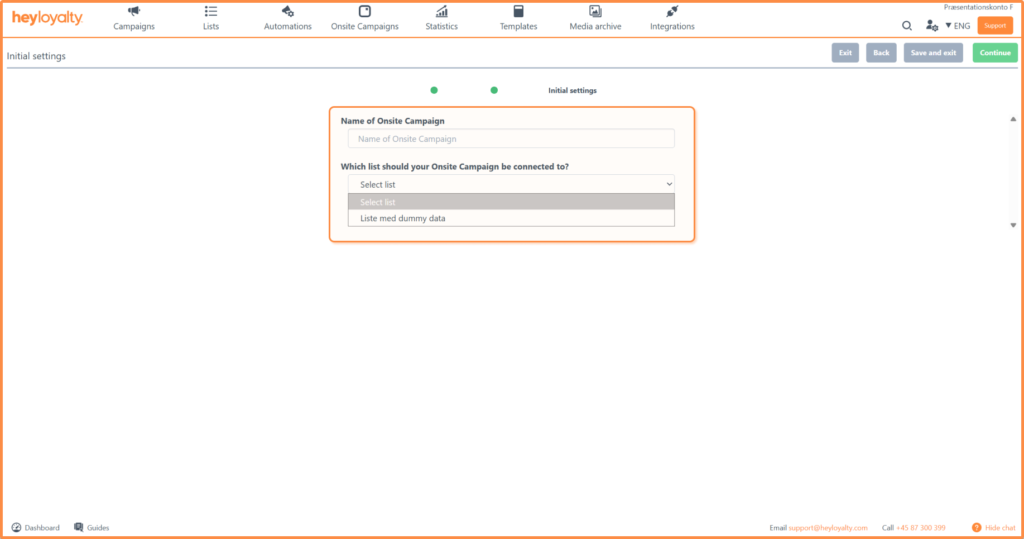
Fill out the initial settings:
Design your onsite campaign
Design your onsite campaign as a landing page to meet your company’s needs and desires.
If you have a product feed in your account, you can use the product feed to pull products into your onsite campaign – just like you know it from your email campaigns and automations.
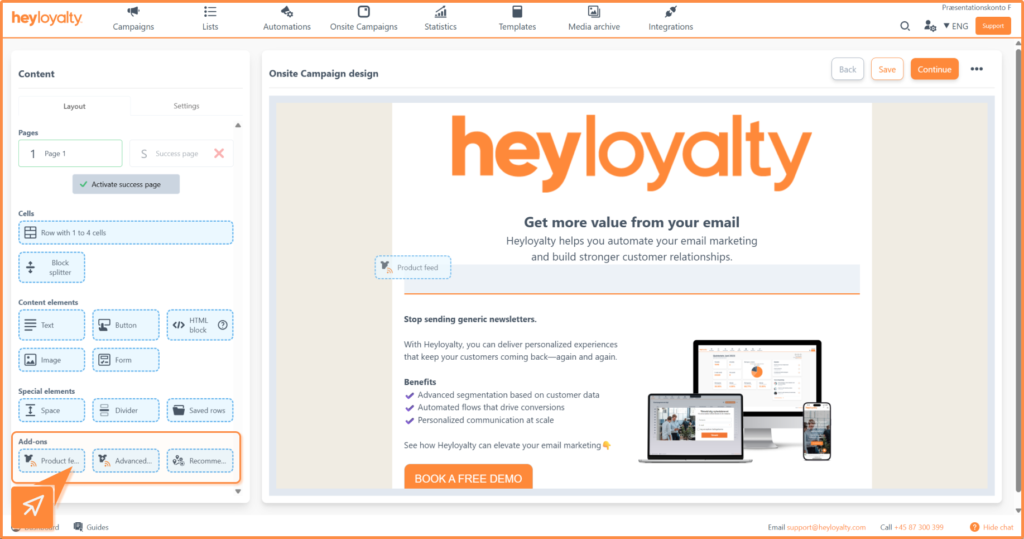
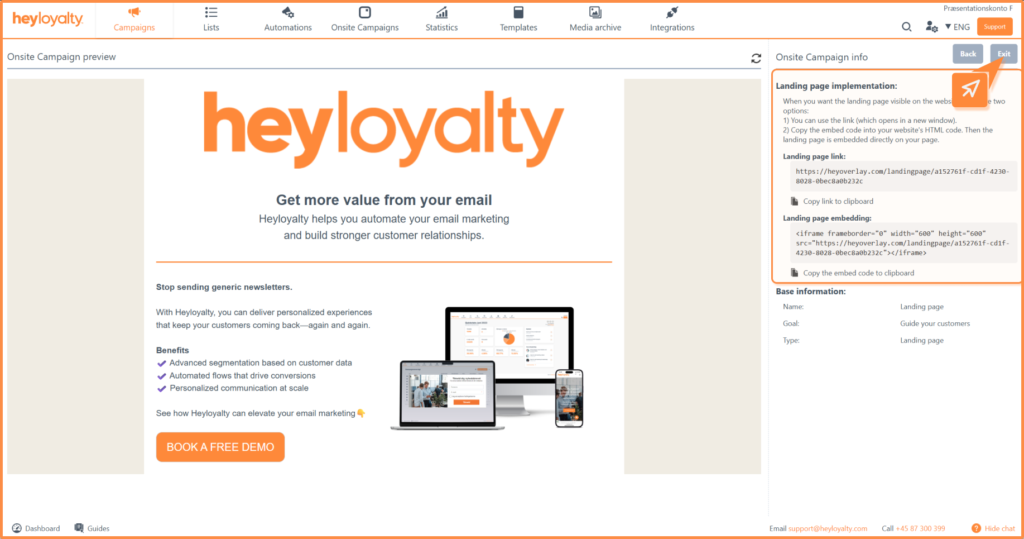
Once you’re happy with the design, click Continue. Here you’ll see a preview of your landing page.
This is also where you will find a link to the landing page as well as the embed code.

If you need information or help that you cannot find here on the guide site, you are always welcome to contact our support!
support@heyloyalty.com