Product template: What is it and what does it require?
A product template is an HTML-coded template that you can use in all your email campaigns and automations.
Avoid starting from scratch every time and increase brand awareness in your emails with a good email template. Our consultants are ready to help you.
The product template is used to display your products in a consistent way in your email campaigns and automations. It ensures a consistent look between the product views on your site and in your emails, and that your products display optimally on mobile.
Create a new product template
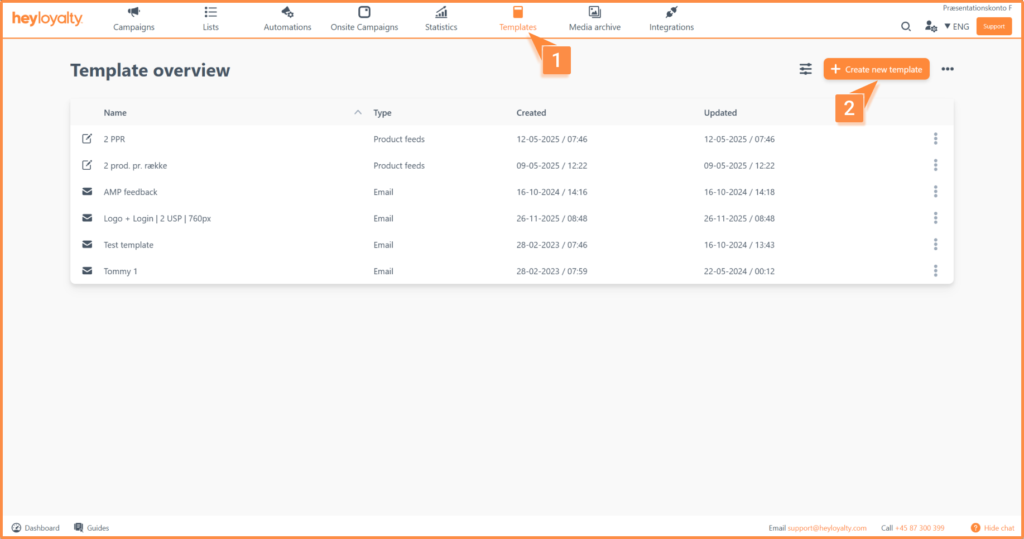
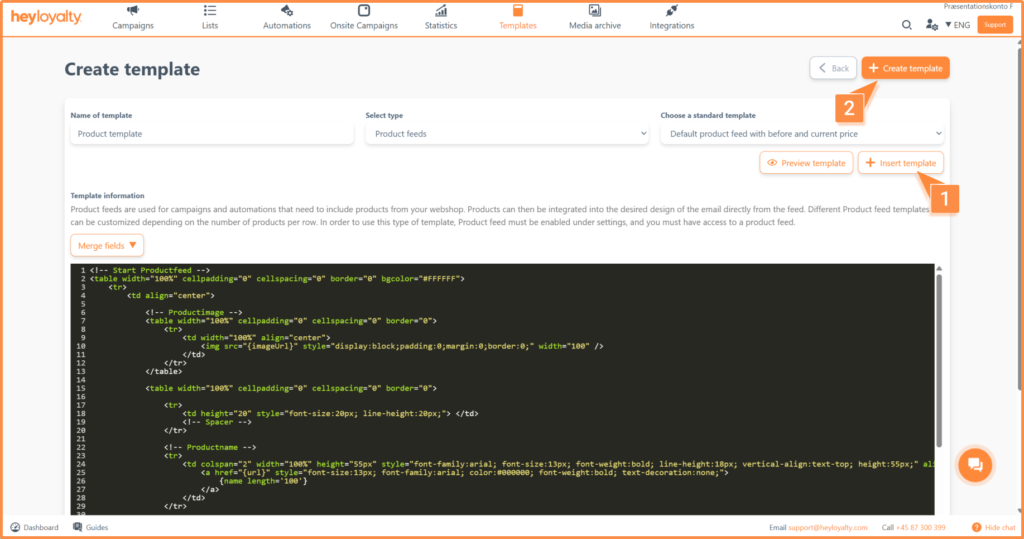
Create your product template by clicking Templates → Create new template.
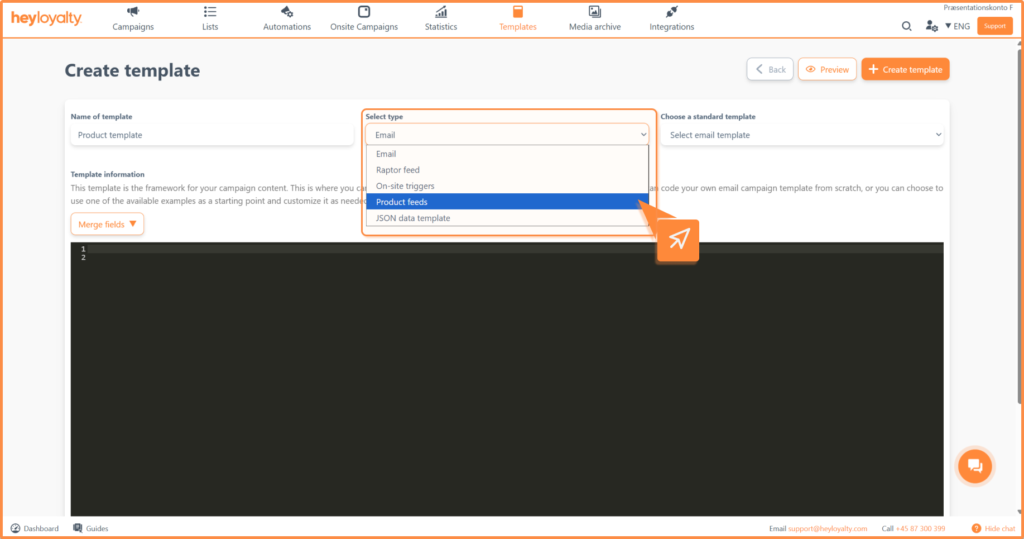
Give your template a name and select the type Product feeds.
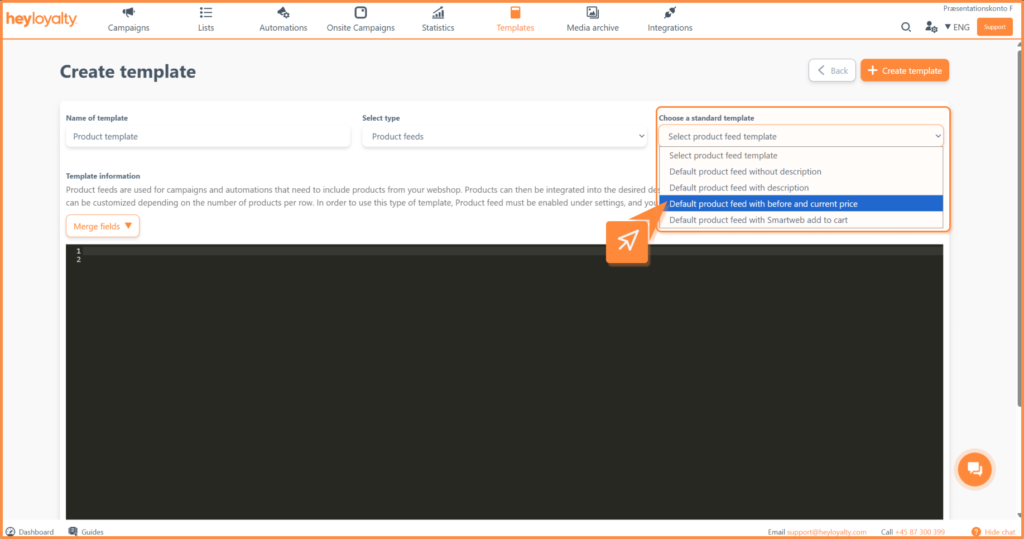
If you want to start with a standard product template, choose one from the list in Choose a standard template.
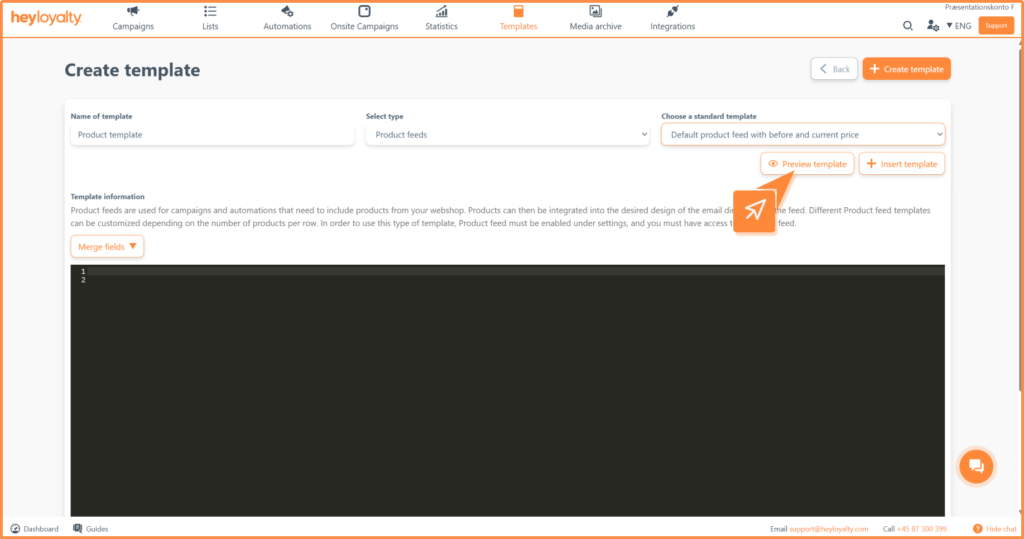
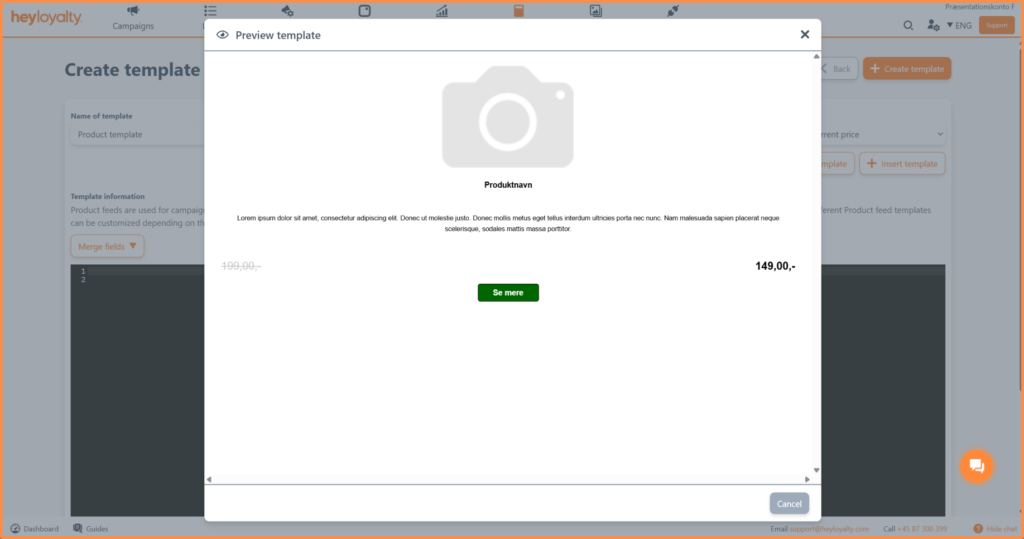
When you have chosen a standard template to start from, you can click Preview template.
If it is a good starting point, click Insert template.
Tip: Consider all the elements of the template: How big should the product name be? Where should the image be? Should both the previous and current price (if the product is on sale) be visible? What about button color, button text, etc.? All elements of the template can be edited and adjusted pretty much to your liking.
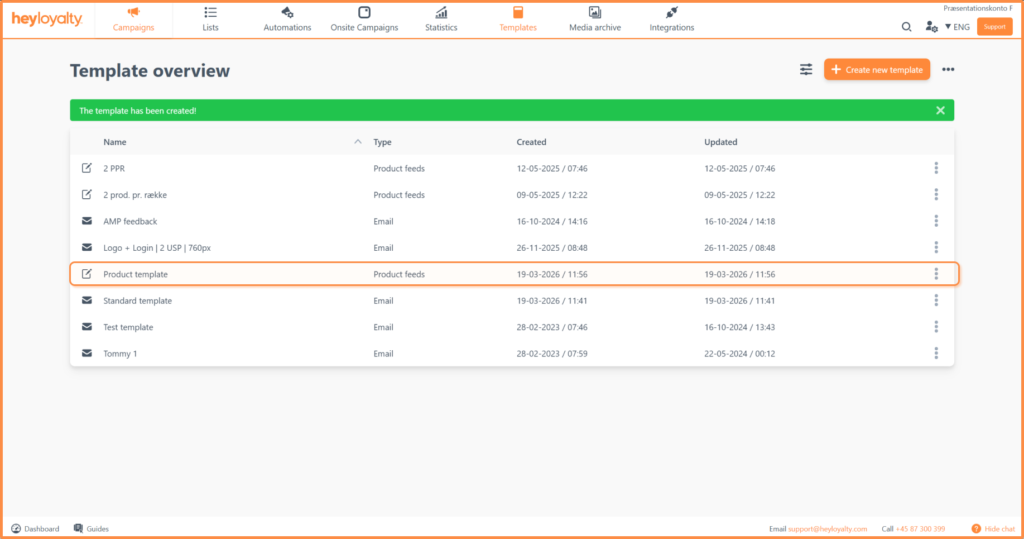
Once the template is saved, you can use it in your email campaigns and automations in the future.
If you need information or help that you cannot find here on the guide site, you are always welcome to contact our support! support@heyloyalty.com
Need Support?
If you have questions you can't find answers to here, you can always contact us at support@heyloyalty.com